 Koen Heye
Your dynamic placeholder renders nothing, and there are two placeholder settings levels

A custom component with a dynamic placeholder. Placeholder settings item created, correct key, correct Allowed Controls. Component builds, deploys, renders. And in Pages: no drop target. Nothing. No error either, which is the part that costs you the day.
The cause turned out to be a field on the rendering item that I had never had to think about before, plus a second placeholder settings level that behaves differently than you would expect.
The symptom
The placeholder simply is not in the layout data. Sitecore emits no placeholders at all for that rendering, so the front-end has nothing to render and Pages has nothing to offer. Every visible piece of configuration looks correct, because it is correct — it is just not the configuration that decides this.
The fix
On the rendering item, populate the Layout Service Placeholders field with the general placeholder settings item.
That field is what tells the Layout Service which placeholders the rendering exposes. Empty field, no placeholders in the layout data. It is a one-click fix once you know, and completely invisible until then.
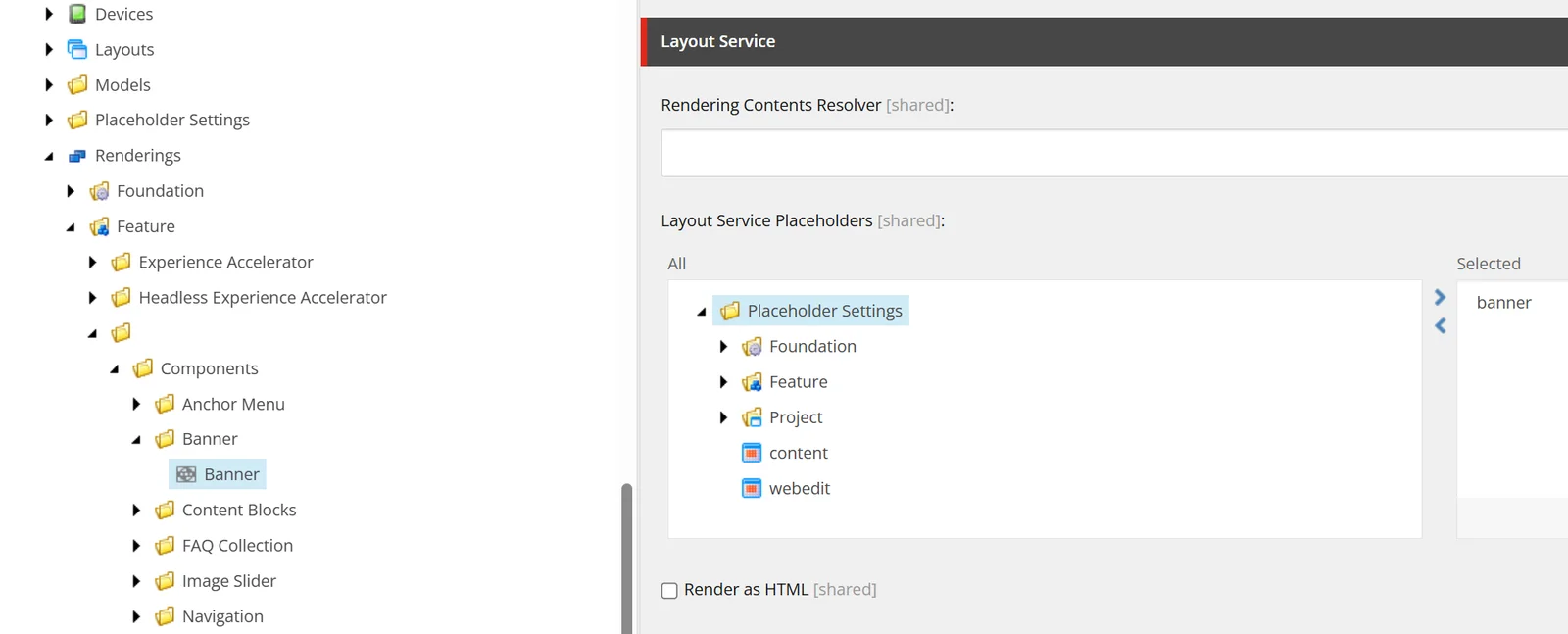 The single field that decides whether the placeholder exists in the layout data.
Two levels, two jobs
Placeholder settings exist in two places, and they do different things. This is the model that makes the whole thing click.
| General | Site-level | |
|---|---|---|
| Lives at | /sitecore/layout/Placeholder Settings/… |
<site>/Presentation/Placeholder Settings/… |
| Required for the placeholder to exist at all? | Yes — must be referenced from the rendering's Layout Service Placeholders field | No |
| Role of Allowed Controls | The default list, for every site | A per-site replacement list |
| Combines with the other? | — | No. Overrides, not additive |
| Needed per component? | Yes — every component with a dynamic placeholder needs one | Only where a site must differ |
Two things follow from this that are worth saying out loud.
Every component with a dynamic placeholder needs its own general settings item. This is per-component setup, not something you configure once for the solution.
And site-level settings on their own do nothing for emission. You can configure them perfectly and the placeholder still will not appear, because that is not their job.
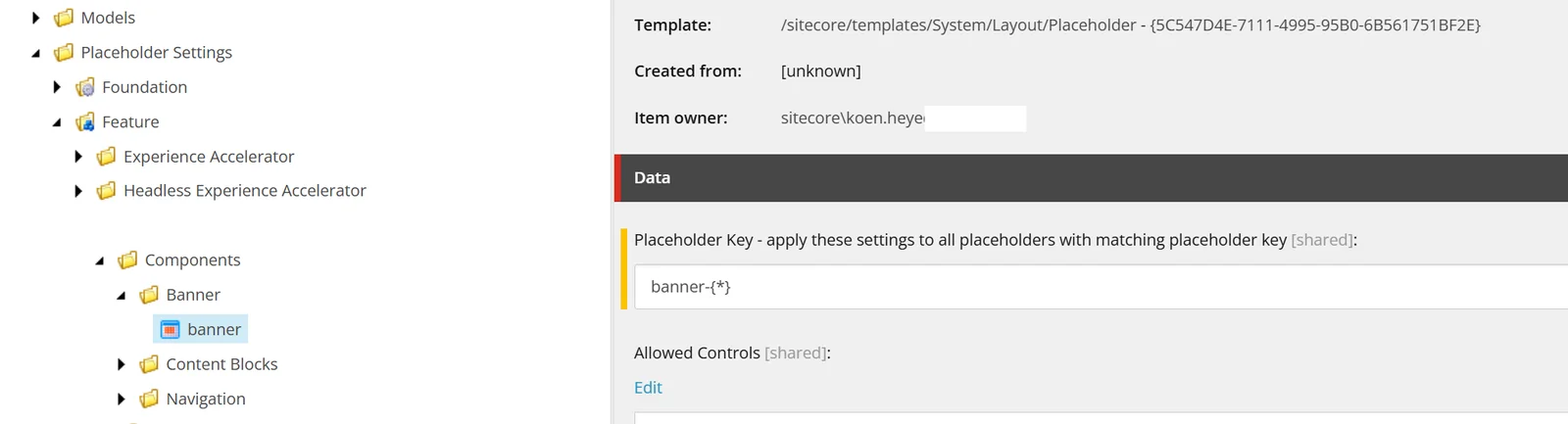 The general settings item — the one that has to be referenced from the rendering.
The site-level list replaces the general one
This is the part nobody documents.
Once the general settings item exists, its Allowed Controls is the default list of renderings offered on every site. If one site needs a different list, you create a placeholder settings item under that site's Presentation level with the same key.
That site-level list replaces the general list. It does not extend it. Anything you still want available on that site has to be repeated there.
Which means the failure mode is a site where components quietly disappear from the picker after someone added one site-specific rendering. Nothing tells you the general list was dropped. It just is not there anymore.
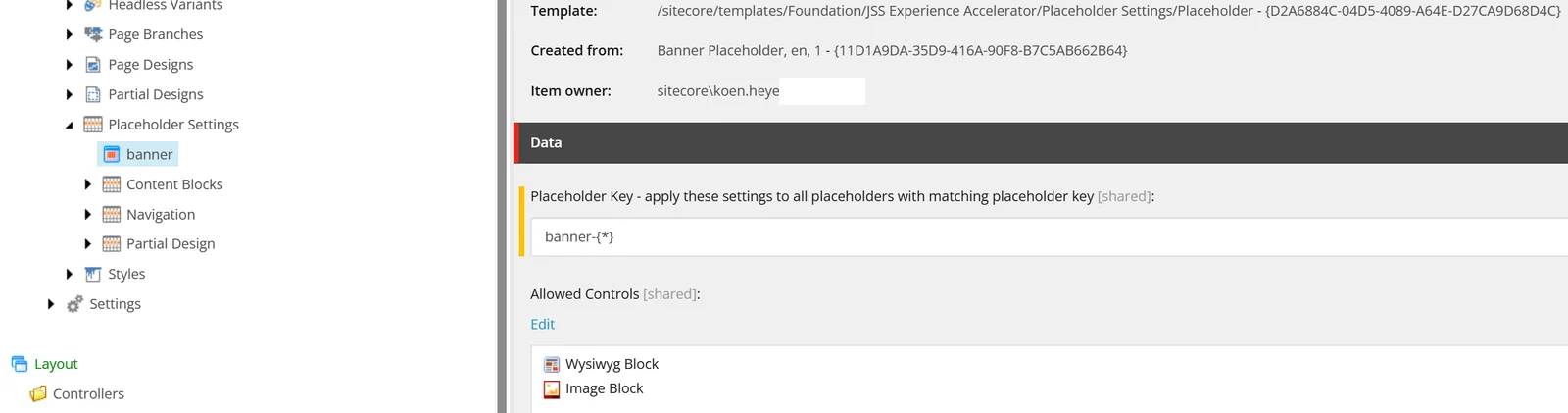 The same key at site level, with its own list. This one wins outright.
What the docs actually say
They do say most of this. Just not in the place you go looking when a placeholder does not render.
From the Layout Service documentation:
To return an item's full structured layout data, the Layout Service must know the placeholders on a rendering. To make these exposed placeholders discoverable, the Layout Service Placeholders field must be populated.
And the distinction that makes the two-level model make sense:
Do not confuse this with the Allowed Controls on Placeholder Settings, defining the renderings that can be added to a placeholder. The Layout Service Placeholders field defines the placeholders to use within the frontend rendering host.
So: Allowed Controls decides what may be dropped in. Layout Service Placeholders decides whether there is anything to drop into.
The site-level mechanism is documented too. Set placeholder restrictions gives the steps and notes that the restrictions apply on all pages in the site.
What is documented nowhere I could find: how the two levels interact. The word "override" does not appear, and nothing states that a site-level list replaces rather than extends the general one. That one I established by testing.
Why the symptom sends you the wrong way
Nothing errors, so you go hunting. In roughly this order, and all of it is wasted:
Caching. The obvious first guess. It survives a hard refresh, /sitecore/admin/cache.aspx and a full environment restart — because there was never anything cached.
The placeholder key. Worth checking, since dynamic keys need the braces and banner-* is silently treated as a literal. But a correct key changes nothing here.
Allowed Controls. Also worth checking, also not it. A rendering can be perfectly allowed into a placeholder that does not exist.
The front-end component. This is where the real time goes: content projection, whether the dynamic id arrives, which template branch is active. All of it can be entirely fine while the placeholder is still missing.
The diagnostic that ends the guessing
Stop looking at configuration and look at what the Layout Service actually emitted. In an Angular Content SDK component:
const layoutKeys = Object.keys(this.rendering()?.placeholders ?? {});
console.log("[placeholder debug]", {
  name:      this.childPlaceholderName(),   // e.g. "banner-17"
  editing:   this.sitecoreContext.isEditing(),
  layoutKeys,
});
An empty layoutKeys is conclusive:
[placeholder debug] { name: "banner-17", editing: true, layoutKeys: [] }A valid placeholder name next to an empty layout. That is the moment it stops being a front-end problem. No amount of component work or Allowed Controls tweaking will help, because Sitecore emitted nothing for this rendering.
One log of rendering().placeholders would have replaced a day of hypotheses, so you can just start there :-)
Bonus: the field name is unhelpful
"Layout Service Placeholders" reads like a rendering-host concern — something about which placeholders the front-end knows about. It is actually the switch that publishes the placeholder into the layout at all. If it were called "Placeholders To Emit" this post would not exist.
Two levels, two jobs. The general placeholder settings item, referenced from the rendering's Layout Service Placeholders field, is what makes the placeholder exist. Site-level settings only change what may go into it on that one site — and they replace the general Allowed Controls list rather than adding to it. When a dynamic placeholder renders nothing, log
rendering().placeholdersbefore you touch anything else.